
IDLive® Face
Detect spoofs with ID R&D's passive facial liveness, available as a pre-built connector in Zenoo flows.
At a glance
Overview
IDLive® Face overview
IDLive Face is ID R&D's passive facial liveness product. It checks that a real, live person is in front of the camera rather than a printed photo, screen replay, or mask, using a single selfie and no on-screen actions from the user. It is designed to be added to an existing face-matching flow to raise its resistance to presentation attacks.
- Company
- ID R&D
- Category
- Biometrics
- Strongest in
- Passive facial liveness and presentation-attack detection
- Best fit
- Teams hardening a face-matching flow against spoofing
Where it is strongest
Key strengths
What IDLive® Face does well.
Passive liveness with no user actions
A single frame is enough, with no blink, turn, or smile prompts, which keeps the check almost invisible to the customer and cuts drop-off.
Presentation-attack focused
Purpose-built to spot photos, screen replays, and masks, addressing one of the most common spoofing routes in remote onboarding.
Independently tested for spoof resistance
ID R&D publicly reports third-party testing of its liveness algorithms against presentation-attack standards, giving compliance teams external evidence to cite.
Who it suits
Best for
Where IDLive® Face fits, and what to plan for.
Honest notes on the trade-offs, each with a way to cover the gap inside a Zenoo flow.
- Teams that want to harden an existing face-matching flow against spoofing
- Onboarding journeys that need liveness without adding user friction
- High-risk sign-ups where photo and replay attacks are a concern
- Liveness only, not full verification. IDLive Face confirms a live person, not who they are. Pair it with document verification and face matching in the same Zenoo flow to prove identity end to end.
- One layer of a defence. Liveness counters presentation attacks but not stolen valid credentials. Combine it with document and data checks so Zenoo can route each risk to the right control.
Open the customer's case
What your team sees
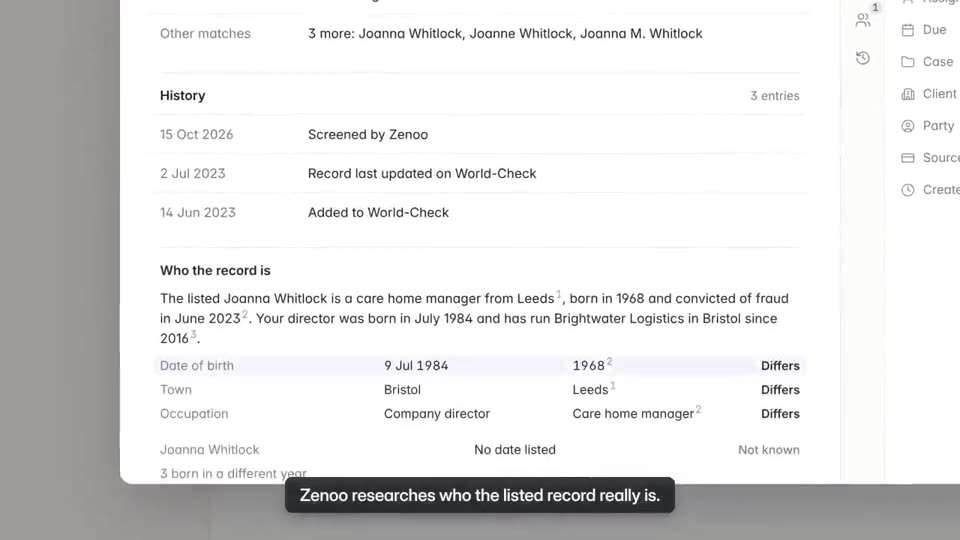
The IDLive® Face result, beside everything else.
The result sits with screening and review on one case, so nobody checks a second tool to see the whole customer.
What you can build
- Adding passive liveness to a remote onboarding selfie step
- Blocking photo and screen-replay attacks without extra user actions
About IDLive® Face
FAQs
IDLive® Face questions.
How does IDLive Face work with Zenoo?
Through a pre-built connector. Configure it in no-code Studio, add fallback logic, and get one contract and a unified audit trail across every provider in the flow.
Does IDLive Face verify identity documents?
No, it checks liveness only. Most teams pair it with a document and face-matching provider in the same Zenoo flow to prove identity.
What is passive liveness?
It confirms a live person from a single selfie with no blink or turn prompts, which keeps the check low-friction while still resisting photo and replay spoofing.
Hands it to your team
Verification is the first step. Compliance Hub handles the rest.
Once a customer is verified, screening and review happen in Compliance Hub. A possible PEP match lands in your team inbox with the evidence and the full history beside it. Zenoo suggests, your team decides.
Pairs well with
 VeriffAdd document authentication and face matching to complete the identity check.RE
 RekognitionCombine with AWS face comparison for selfie-to-document matching.CO
 ComplyAdvantageAdd sanctions and adverse media screening in the same flow.
Alternatives



More in biometrics


Tomorrow, your case
Bring us a case that went wrong.
We will run it through Zenoo while you watch: the evidence, the decision, and the record your MLRO would want to defend.
30 minutes. Your data. No slides.