Two parts
Some cases should not be decided by one person. Compliance Hub now gives every team the controls to bring in a second pair of eyes, and to make sure a concern about a company is never lost between cases.
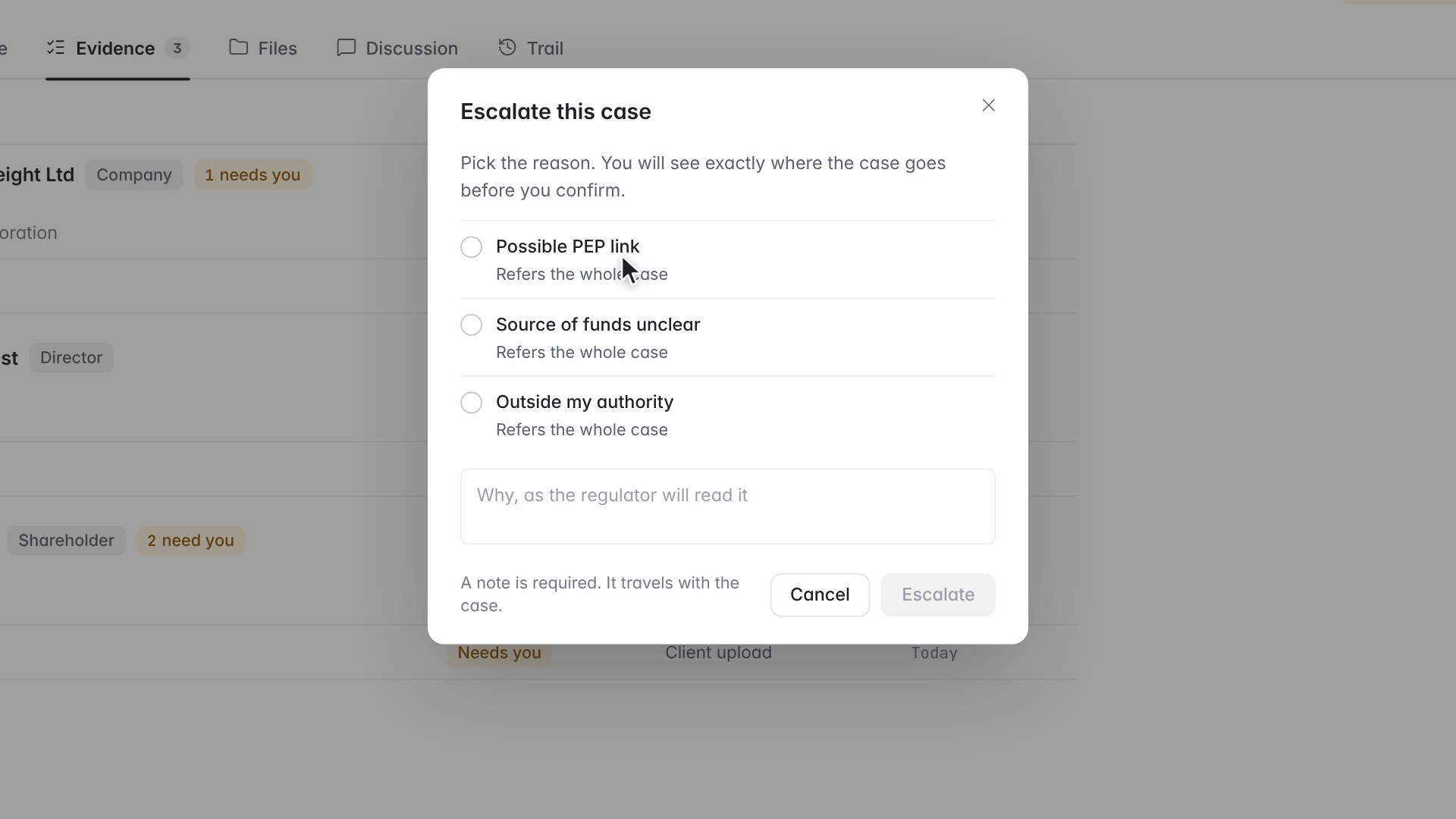
Escalate or send for QC
From the menu by the case header, choose Escalate and pick a reason. You see exactly where the case will go before you confirm, and you can leave a note for the next reviewer. Once a case has a decision, the same menu offers Send for QC, so a reviewer can check the work before it is final.
Watchlist and hard stop
Click Watchlist in the case header to watch a company. A watchlist entry warns you on every case where the company appears. A hard stop goes further and blocks approval until it is cleared. Each one needs a reason category and a written reason, and a hard stop waits for a second Financial Crime approver. Once it is in place, Approve stays locked until a Financial Crime user clears it.
Read more on the watchlists and approval pages.
Want to see how escalations route in a team like yours? Book a demo and we will show it on your own case. 30 minutes. Your data. No slides.