Three parts
Finding the ultimate beneficial owner is still one of the slowest parts of business onboarding. The chart arrives as a PDF, someone retypes it into a spreadsheet, and the checks each person needs are worked out from memory. Compliance Hub now does that work on the case itself, in the Structure tab.
Build the structure on the case
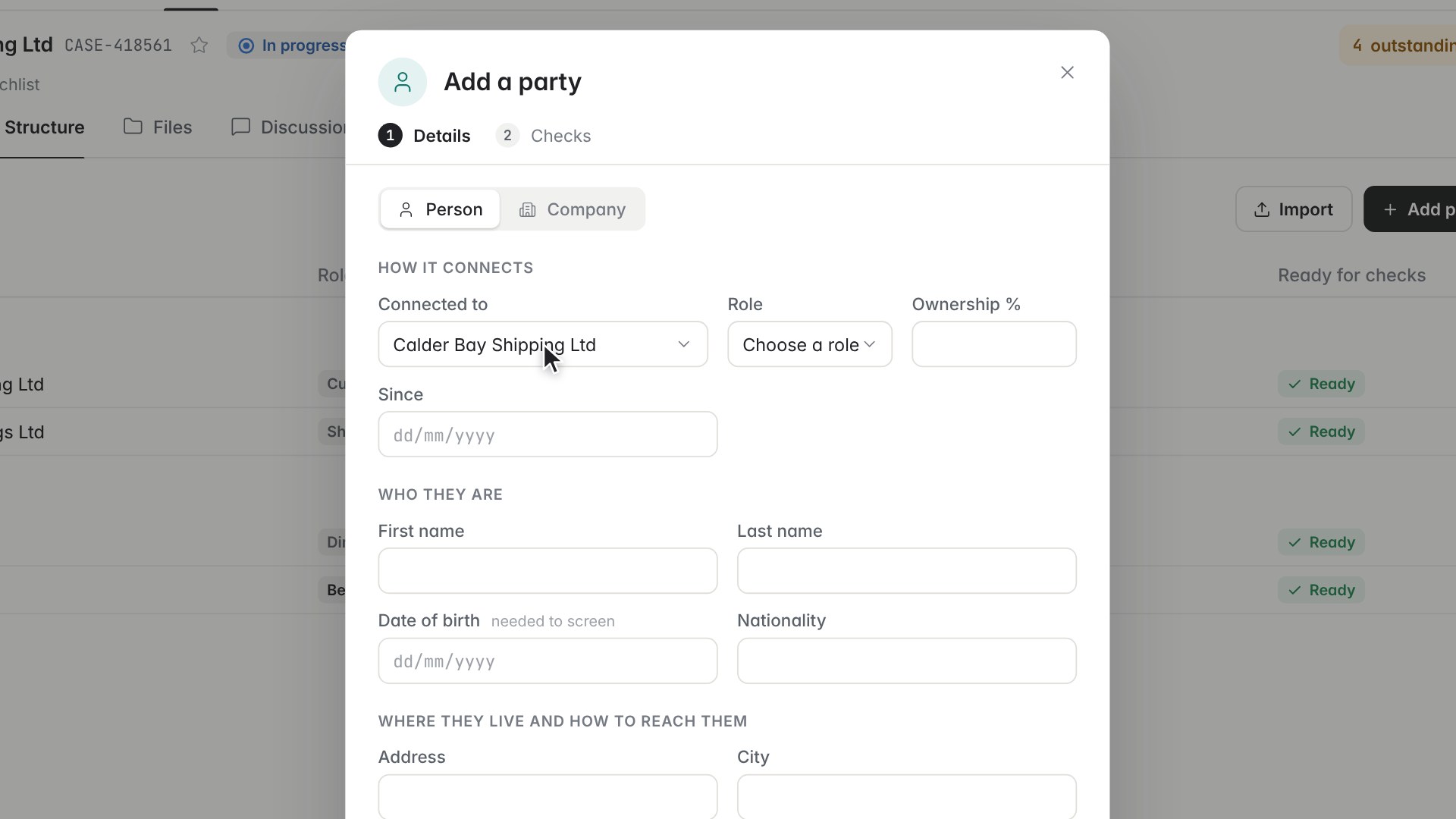
Structure lists everyone who owns or runs the company. Add a person with how they connect, their role and their share, and Zenoo suggests the checks that role needs. Keep the suggestions, add the party, and they are saved with their checks already attached. Switch to Map to see the whole chain at once: who owns what, and who runs it.
Or import the group chart
Most customers already have an ownership chart. Choose Import, pick the chart from the case Files or your computer, and Zenoo reads the PDF or image and numbers every box it read. You check each proposed change against its box and untick anything that is wrong. Add your reason and apply, and the reason is kept in the case trail.
Why it matters for KYB
Regulators expect firms to understand the ownership and control of a business customer, not just to collect a list of names. Keeping the structure, the checks each party needs and the reasons for every change on one case means the answer to "how did you reach this conclusion?" is already written down. Read more about KYB in Compliance Hub or the basics of KYB.
Structure is part of ownership and control in Compliance Hub. More short films are on the Compliance Hub page, or book a demo. 30 minutes. Your data. No slides.