
DigiD
Connect Zenoo to the Netherlands’ DigiD system for secure citizen identity authentication.
Checking your own ID? Zenoo is a service for businesses and cannot check a personal ID. Logius can help.
The scheme at a glance
Overview
What is DigiD?
DigiD is the Netherlands’ national digital identity, developed and managed by Logius, an agency of the Ministry of the Interior and Kingdom Relations. Dutch citizens and residents use it to log into government and public-sector services, and it is one of the most widely used digital credentials in the country. DigiD is notified under the EU eIDAS framework and offers several assurance levels, from a basic username and password up to substantial and high, so a service can request the strength of authentication it needs.
The person’s identity is linked to their citizen service number (burgerservicenummer, or BSN). When someone authenticates, DigiD confirms the identity connected to that record and, depending on the assurance level, may add a second factor such as an SMS code or the DigiD app. The customer proves who they are directly with their existing DigiD credentials, so there is no document upload or selfie step.
- Issuing authority
- Logius, an agency of the Dutch Ministry of the Interior and Kingdom Relations
- Country
- Netherlands
- Identifier
- Citizen service number (burgerservicenummer, or BSN)
- Data returned
- Confirmation of the identity linked to the BSN, with details available depending on the assurance level requested
- Coverage
- Widely held across the adult population and used for government and public services
- Official status
- Official national digital identity, notified under eIDAS with substantial and high assurance levels available
Three steps
How it works
How verification works
The check runs in your flow. The result arrives where your team works.
Person authenticates with DigiD
The customer signs in with their DigiD username and password, and adds a second factor such as an SMS code or the DigiD app for higher assurance levels.
Verified identity confirmed
DigiD confirms the identity linked to the person’s citizen service number and returns confirmation to your service.
Signals returned to your flow
Once the connector is activated, a verified result, the confirmed identity details, and a full audit record flow straight into your Zenoo case.
Open the customer's case
What your team sees
The DigiD result, beside everything else.
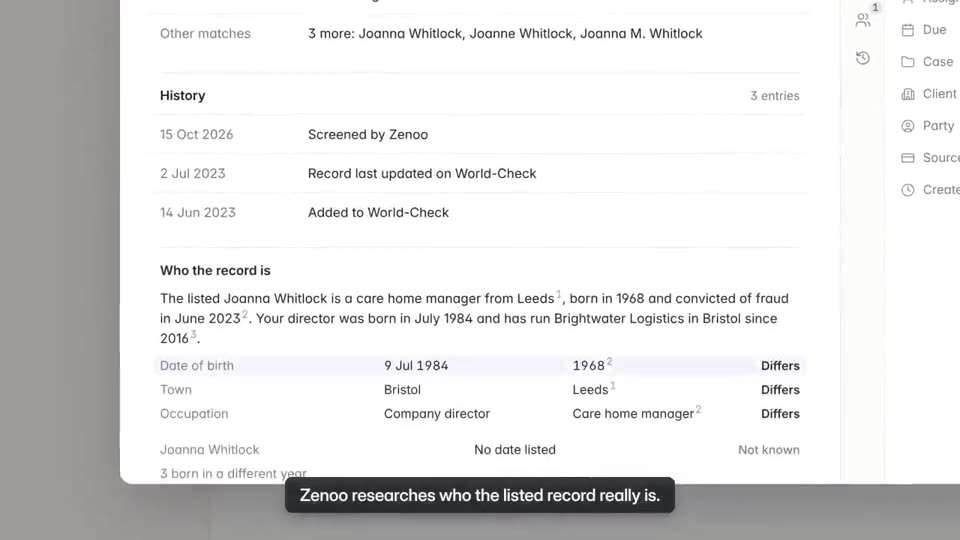
Verification sits with screening and review on one case, so nobody checks a second tool to see the whole customer.
What you can build
- Onboard Dutch customers with a familiar national login instead of a document upload.
- Verify identity for digital e-KYC with a trusted national credential.
- Confirm an applicant’s identity before you extend a service.
- Give verified access to government and public online services.
- Request a higher assurance level for sensitive onboarding steps.
About DigiD
FAQs
DigiD questions.
How do I verify a DigiD identity?
The person authenticates with their DigiD username and password, plus a second factor such as an SMS code or the DigiD app for higher assurance levels. DigiD confirms the identity linked to their citizen service number and returns confirmation to your service.
What data does DigiD return?
On a successful authentication DigiD confirms the identity linked to the person’s citizen service number (BSN). The details available depend on the assurance level requested. There is no document upload or selfie step, because the person proves identity with their existing DigiD credentials.
Is DigiD mandatory in the Netherlands?
DigiD is the Netherlands’ official national digital identity and is very widely held, but it is not compulsory to use it for every private-sector transaction. It is the most common way Dutch citizens log in to government and public services.
How does DigiD verification work with Zenoo?
You can activate this connector with your own account. Zenoo’s AI builds the integration, typically within a day. The person then authenticates with DigiD and Zenoo returns a verified result with a full audit trail.
Hands it to your team
Verification is the first step. Compliance Hub handles the rest.
Once a customer is verified, screening and review happen in Compliance Hub. A possible PEP match lands in your team inbox with the evidence and the full history beside it. Zenoo suggests, your team decides.
Pairs well with

Related schemes
Tomorrow, your case
Bring us a case that went wrong.
We will run it through Zenoo while you watch: the evidence, the decision, and the record your MLRO would want to defend.
30 minutes. Your data. No slides.