eDO App Login
Efficiently authenticate Polish users through secure eDO App login integrated with Zenoo.
Checking your own ID? Zenoo is a service for businesses and cannot check a personal ID. The authority that issued it can help.
The scheme at a glance
Overview
What is eDO App Login?
The eDO App is a Polish mobile application that reads the electronic layer of the national identity card, known as the eDowód. It is provided by Polska Wytwórnia Papierów Wartościowych (PWPW), Poland's state security printing works. Every Polish ID card issued since March 2019 carries an electronic chip, and the app uses the phone's NFC reader to confirm identity online without a separate card reader.
Verification works by the person tapping their NFC-enabled Polish ID card against their phone with the eDO App, then authenticating and consenting to share their data. The app reads government-sourced fields directly from the card's chip and returns them to your service. It is aligned with the eIDAS Regulation and provides a substantial level of assurance.
Because the data comes straight from the card chip rather than a form fill, the person only needs their physical eDowód, a phone with NFC, and the free app to complete the check.
- Issuing authority
- Polska Wytwórnia Papierów Wartościowych (PWPW), the state security printing works
- Country
- Poland
- Credential
- eDowód, the Polish electronic ID card issued since March 2019, read over NFC
- Identifier
- PESEL, Poland's 11-digit national identification number
- Data returned
- Given name, family name, date of birth, sex, and PESEL number
- Assurance level
- Aligned with eIDAS at the substantial level
Three steps
How it works
How verification works
The check runs in your flow. The result arrives where your team works.
Person opens the eDO App
The customer is directed to the eDO App on their phone and prepares their physical eDowód card.
Tap the card and consent
The person taps their NFC-enabled Polish ID card against the phone, authenticates, and consents to share the data read from the chip.
Signals returned to your flow
Verified name, date of birth, sex, PESEL, and a full audit record flow straight into your Zenoo case.
Open the customer's case
What your team sees
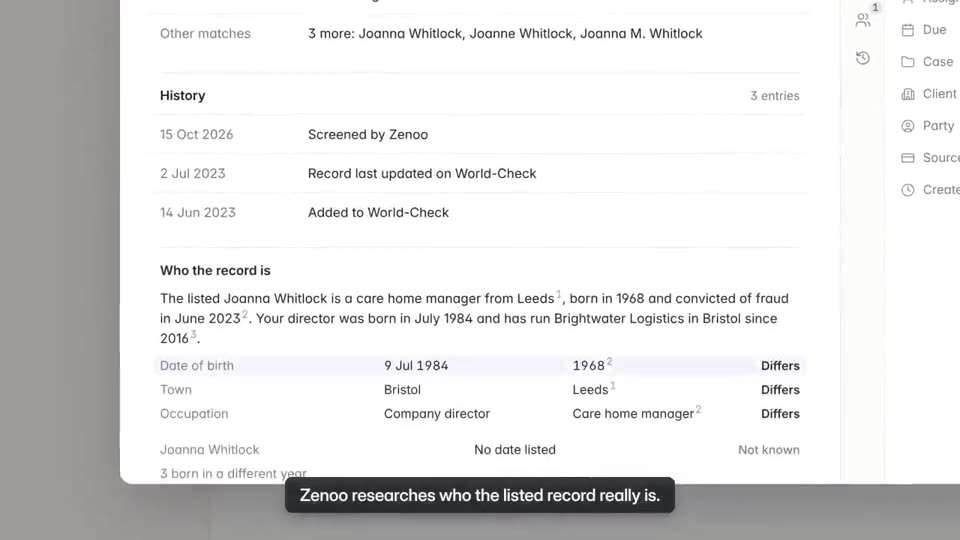
The eDO App Login result, beside everything else.
Verification sits with screening and review on one case, so nobody checks a second tool to see the whole customer.
What you can build
- Open a bank account by confirming the applicant against their official Polish ID card.
- Complete digital onboarding and e-KYC for regulated Polish services.
- Verify a lending applicant before you extend credit.
- Give customers access to online public and private services with a card tap.
About eDO App Login
FAQs
eDO App Login questions.
How do I verify a Polish identity with the eDO App?
The person taps their NFC-enabled Polish ID card against their phone in the eDO App, authenticates, and consents to share their data. The app reads verified fields from the card chip such as name, date of birth, and PESEL, and returns them to your service through Zenoo.
What data does the eDO App return?
It returns government-sourced fields read from the eDowód chip: given name, family name, date of birth, sex, and the 11-digit PESEL national identification number.
What does a person need to use the eDO App?
They need a Polish electronic ID card (eDowód, issued since March 2019), a phone with NFC support, and the free eDO App. No separate card reader is required.
Hands it to your team
Verification is the first step. Compliance Hub handles the rest.
Once a customer is verified, screening and review happen in Compliance Hub. A possible PEP match lands in your team inbox with the evidence and the full history beside it. Zenoo suggests, your team decides.
Pairs well with
Related schemes

Tomorrow, your case
Bring us a case that went wrong.
We will run it through Zenoo while you watch: the evidence, the decision, and the record your MLRO would want to defend.
30 minutes. Your data. No slides.